
Learn how GoDaddy website development works for small businesses and entrepreneurs. Explore domains, design, SEO, ecommerce, analytics and growth with My Advisers.
GoDaddy Website Development for Small Businesses: The Complete 2026 Guide to Building, Launching and Growing Your Business Online
Starting a business is exciting.
Building its digital presence can feel considerably less exciting when you are suddenly confronted with domains, hosting, SSL, website builders, DNS, SEO, responsive design, analytics, ecommerce, conversion rates and dozens of other unfamiliar terms.
A new entrepreneur may know exactly how to run a restaurant, consulting firm, beauty business, retail store, travel service, coaching practice or local company—but have no idea how to turn that expertise into an effective website.
That is normal.
You don’t need to become a web developer before you can build a serious online presence.
What you need is a clear strategy.
A professional business website should answer five fundamental questions for a potential customer:
Who are you?
What do you offer?
Why should I trust you?
How can you help me?
What should I do next?
Everything else—design, SEO, technology, images, navigation, analytics and automation—should support those questions.
This master guide explains how entrepreneurs and small businesses can approach GoDaddy website development strategically, from choosing a domain to generating enquiries after launch.
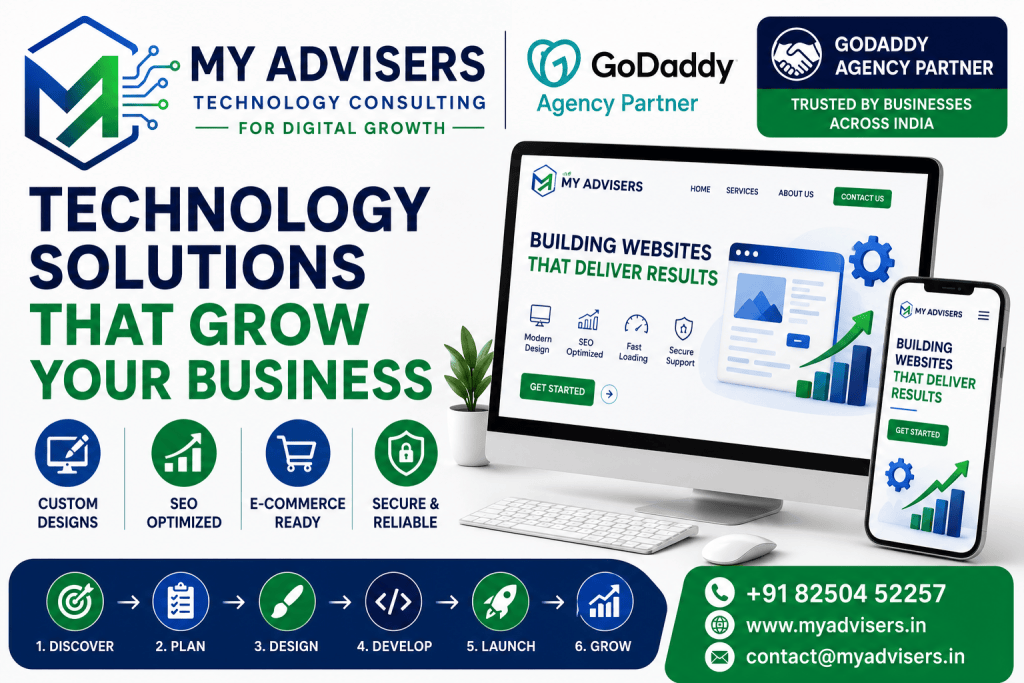
It is written especially for non-technical business owners.
You will learn not merely how to create pages, but how to build a website that becomes a meaningful digital business asset.
What Is GoDaddy Website Development?
GoDaddy is widely known for domains, but its ecosystem extends beyond domain registration.
Its current Help Center covers services including domains, Websites + Marketing, WordPress hosting, ecommerce, SSL certificates, professional email, digital marketing, website security, backups and other web infrastructure.
For a business owner, this means several parts of an online presence can potentially be managed within the same broader ecosystem.
GoDaddy website development may therefore involve much more than selecting a template.
Depending on the project, it can include:
- Domain strategy
- Website planning
- Website Builder configuration
- WordPress development
- Branding
- Content architecture
- Mobile optimization
- Lead-generation forms
- Ecommerce
- Appointment functionality
- SEO
- Analytics
- Conversion optimization
- Security
- Maintenance
- Digital marketing integration
The correct solution depends on the business.
A five-page website for a local consultant has different requirements from a 1,000-product ecommerce store.
This is the first principle of professional website development:
Choose technology according to the business problem—not because a particular tool happens to be available.
Why Small Businesses Need a Professional Website
Social media is useful.
Marketplaces are useful.
WhatsApp is useful.
Business directories are useful.
But none should automatically replace your own website.
Imagine building your entire digital business on a social network.
You don’t control the platform.
Algorithms change.
Features disappear.
Account restrictions happen.
Organic reach changes.
Your website gives your business a more permanent digital destination.
You can use it as the central hub connecting:
Google → Website
Social Media → Website
Advertising → Landing Page
Email → Website
WhatsApp → Website
Business Listings → Website
QR Codes → Website
Offline Marketing → Website
Your website therefore becomes an important part of your digital infrastructure.
A Website Is Not Just an Online Brochure
Many businesses still approach website development like this:
“We need five pages because every business has a website.”
That misses the opportunity.
A website can potentially help your business:
- Explain services
- Showcase products
- Build credibility
- Generate leads
- Capture enquiries
- Book appointments
- Sell products
- Publish educational content
- Rank for relevant searches
- Collect newsletter subscribers
- Answer common questions
- Display testimonials
- Present portfolios
- Support advertising campaigns
- Direct customers to contact channels
The objective should therefore not be:
“Get a website.”
It should be:
“Build a digital platform that supports measurable business objectives.”
Why GoDaddy Can Appeal to Non-Technical Entrepreneurs
The technical side of launching a website traditionally involves several separate decisions:
Domain registrar.
Hosting.
CMS.
SSL.
Templates.
Backups.
Email.
Security.
Analytics.
Development.
For someone starting their first business, that can become overwhelming.
GoDaddy’s ecosystem attempts to simplify parts of this process.
Its current Website Builder offering emphasizes AI-assisted website creation and no-code building, while its Websites + Marketing documentation provides workflows for themes, homepage design, pages, domains, publishing, SEO and other common website tasks.
That can make it attractive to entrepreneurs who value simplicity.
But easy-to-use software does not automatically produce an effective website.
A hammer may be easy to use.
That does not automatically make someone an architect.
The same distinction applies to website builders.
The technology can simplify implementation.
Strategy still matters.
GoDaddy Website Builder vs WordPress: Which Should You Choose?
This is an important decision.
GoDaddy itself distinguishes its Websites + Marketing website-building environment from WordPress options. Its documentation notes that Websites + Marketing uses themes/templates to simplify site building, while merchants who need greater control can consider Managed Hosting for WordPress.
Neither option is universally “better.”
They solve different requirements.
Consider GoDaddy Website Builder When:
You want a relatively straightforward business website.
You prefer a managed, visual editing experience.
You don’t want to handle much technical configuration.
Your requirements fit comfortably within the platform’s available functionality.
You want to launch quickly.
Consider WordPress When:
You require greater customization.
Your content architecture is more complicated.
You expect significant expansion.
You need specialized plugins or functionality.
You want more control over development.
You have technical assistance available.
The right question is therefore not:
“Is GoDaddy better than WordPress?”
It is:
“Which solution best fits this specific business?”
Step 1: Define Your Website’s Business Objective
Before buying anything, answer this:
What is the primary purpose of the website?
Possible answers include:
Generate leads
Sell products
Book appointments
Receive phone calls
Showcase work
Build authority
Educate potential customers
Drive store visits
Generate quotations
Build an email audience
Choose one primary objective.
You can have secondary objectives, but the primary objective should influence your website architecture.
For example, a consulting website focused on leads might prioritize:
Home → Services → Case Studies → Consultation → Contact
An ecommerce website prioritizes:
Home → Categories → Products → Cart → Checkout
A restaurant might prioritize:
Home → Menu → Location → Reservation/Order
Design follows business strategy.
Step 2: Understand Your Ideal Customer
Do not design for “everyone.”
Imagine you are creating a website for a home-interior business in Kolkata.
Your customer might search:
interior designer in Kolkata
modular kitchen designer near me
home renovation company Kolkata
2BHK interior design cost
Each search reveals a different intention.
Your website should anticipate those intentions.
Create a basic customer profile:
Who are they?
What problem are they experiencing?
What do they want?
What worries them?
What information do they need before contacting you?
What would make them trust your company?
This information should influence your pages, copy, calls to action and SEO.
Step 3: Choose a Strong Domain Name
Your domain is your digital address.
Examples:
yourbusiness.com
yourbrand.in
A good domain is generally:
- Easy to remember
- Easy to type
- Easy to pronounce
- Relevant to the brand
- Appropriate for the market
- Free from unnecessary complexity
Avoid choosing a domain purely to stuff keywords into it.
For example:
best-cheap-top-digital-marketing-company-delhi-india-2026.com
is not a strong brand.
A memorable brand domain is usually more sustainable.
GoDaddy supports connecting Websites + Marketing sites to newly purchased GoDaddy domains, existing GoDaddy domains and domains registered elsewhere. GoDaddy notes that domain connection can sometimes take up to 72 hours, particularly with an external domain.
Step 4: Choose the Right Domain Extension
.com remains widely recognized internationally.
For an India-focused business, .in may also be appropriate.
Other extensions can work when they fit the brand and business.
Don’t choose an unusual extension solely because the .com version is unavailable.
Ask:
Will customers remember it?
Will it look credible on marketing materials?
Can someone easily say it over the phone?
Your domain will potentially appear on:
- Business cards
- Advertisements
- Social media
- Google Business Profile
- Signage
- Invoices
- Packaging
Treat it as a long-term branding decision.
Step 5: Plan Your Website Architecture
Before building pages, draw the structure.
A service-based small business might use:
Home
About
Services
- Service A
- Service B
- Service C
Portfolio / Case Studies
Blog
FAQ
Contact
Privacy Policy
Terms
A local business may additionally need:
Locations
Service Areas
Appointment / Booking
An ecommerce business needs:
Shop
Categories
Products
Cart
Checkout
Shipping
Returns
Architecture affects both usability and SEO.
Do not create random pages simply because competitors have them.
Each page should serve a purpose.
Step 6: Design Your Homepage Around Customer Decisions
Your homepage is not a corporate autobiography.
The first section should quickly answer:
What do you offer?
Who is it for?
Why should they care?
A strong hero section might contain:
Clear Headline
Not:
Welcome to ABC Solutions.
Better:
Professional Accounting Support for Small Businesses in Bengaluru
Supporting Statement
Briefly explain your value.
Primary CTA
Examples:
Request a Consultation
Get a Quote
Book an Appointment
Browse Products
Call Now
Then continue with sections that help the visitor decide.
A High-Converting Small Business Homepage Structure
A practical sequence might be:
Hero
↓
Main Services
↓
Why Choose Us
↓
How It Works
↓
Proof / Testimonials / Portfolio
↓
Frequently Asked Questions
↓
Final CTA
↓
Footer
Not every business needs this exact structure.
The principle is what matters:
Move the customer logically from curiosity to confidence to action.
Step 7: Customize Your GoDaddy Website Professionally
GoDaddy’s Websites + Marketing workflow includes theme customization, homepage design, additional pages and publishing. Its editor is intended to produce responsive sites that work across devices.
However, beginners often make a major mistake:
They customize too much.
They use:
Six fonts.
Nine colors.
Five button styles.
Huge animations.
Random stock images.
The result looks less professional.
Establish a simple design system.
Colors
Use:
Primary brand color
Secondary color
Accent color
Neutral backgrounds
Ensure sufficient text contrast.
Typography
Usually one or two font families are enough.
Prioritize readability.
Buttons
Use consistent button styles.
Spacing
Give content room to breathe.
Images
Maintain a consistent visual language.
Professional design is frequently about restraint.
Step 8: Optimize the Mobile Experience
Do not build only for your laptop.
Your potential customers may first encounter the business on a smartphone.
GoDaddy recommends previewing a site before publishing and specifically checking both computer and mobile presentation.
Inspect:
- Header
- Navigation
- Logo
- Headlines
- Buttons
- Images
- Forms
- Contact information
- Footer
Ask:
Can someone comfortably understand and use this page with one hand on a phone?
If not, keep improving.
Step 9: Write Website Content for Humans First
This is where many SEO projects fail.
Businesses hear that keywords are important and write:
We are the best website company providing best website services for businesses looking for best website company and best website development.
That is not useful content.
Your website copy should sound like a knowledgeable professional explaining the business to a potential customer.
A service page should answer:
What is the service?
Who needs it?
What problem does it solve?
How does your process work?
What is included?
What affects pricing?
What should customers expect?
Why should they trust you?
What should they do next?
SEO keywords should fit naturally into those answers.
Step 10: Create Individual Service Pages
A common SEO mistake is putting every service into a few sentences on the homepage.
Suppose your company offers:
- Website Design
- Ecommerce Development
- SEO
- Digital Marketing
- CRM Implementation
Consider giving major services their own substantive pages.
Why?
Because someone searching:
SEO consultant for small business
has different intent from someone searching:
ecommerce website developer
A focused service page can answer the specific query much more effectively.
This also creates a stronger internal-linking structure.
Step 11: Build Trust With an Excellent About Page
Your About page should not be:
We are a leading organization committed to excellence and customer satisfaction.
Almost any company could say that.
Instead explain:
- Who you are
- Why the business exists
- Who you help
- Relevant experience
- Your approach
- What customers can expect
- Where you operate
- How to contact you
If you have genuine certifications, partnerships, awards, experience or professional credentials, present them accurately.
Never manufacture authority.
Step 12: Create an Effective Contact Page
Your Contact page is a conversion page.
Make it easy to contact the business.
Depending on your model, provide appropriate options such as:
- Contact form
- Telephone
- Address
- Business hours
- Map
- Appointment booking
Don’t request 25 fields when five are sufficient.
Every unnecessary field increases friction.
For a simple consultation form, you might ask:
Name
Phone
Service Needed
Message
That’s often enough to start a conversation.
Step 13: Understand Calls to Action
A CTA tells the visitor what to do next.
Weak:
Submit
Stronger:
Request a Free Consultation
Other examples:
Get a Quote
Book an Appointment
Start Your Project
View Services
Shop Now
Download the Guide
Don’t use ten competing CTAs above the fold.
Choose a primary action.
Step 14: Set Up SEO Properly
A website is not automatically discoverable just because it is online.
SEO helps search engines understand your content and helps relevant users discover it.
GoDaddy’s current Websites + Marketing SEO workflow includes tools for keyword suggestions and optimization. GoDaddy advises merchants to think about what ideal customers would search for and explicitly recommends writing for people first.
That is good SEO advice.
Start with keyword research.
Step 15: Find Keywords Based on Customer Intent
Suppose you are a wedding photographer in Mumbai.
Potential keywords might include:
wedding photographer Mumbai
pre wedding photographer Mumbai
wedding photography packages Mumbai
best wedding photographer near me
But don’t stop at keywords.
Identify intent.
Someone searching:
how much does wedding photography cost
needs education.
Someone searching:
wedding photographer Mumbai packages
is likely evaluating providers.
Someone searching:
book wedding photographer Mumbai
may be close to conversion.
Create content for different stages.
Step 16: Optimize SEO Titles and Meta Descriptions
Each important page should have a useful title.
Poor:
Services
Better:
Website Design Services for Small Businesses | Brand Name
Meta descriptions should summarize the page naturally.
Example:
Build a professional, mobile-friendly business website designed around your customers, services and growth goals. Request a website consultation today.
Do not repeat the same title and description across every page.
Unique pages deserve unique metadata.
Step 17: Use Headings Correctly
Your content should have a logical hierarchy.
H1: Main page topic
H2: Major sections
H3: Subtopics
Avoid using headings merely to make text visually larger.
For example:
Small Business Website Development
Website Design Services
Responsive Website Design
Lead Generation Pages
This hierarchy helps both readers and search engines understand the content.
Step 18: Optimize Images
Images can dramatically improve a website.
They can also slow it down.
Use:
- Appropriate dimensions
- Efficient file sizes
- Descriptive filenames where useful
- Relevant alt text
- Original imagery where possible
Alt text should describe the image when appropriate.
Bad:
best-website-best-website-company-best-seo-best-business.jpg
Better:
restaurant-website-design-example.jpg
Do not turn accessibility text into a keyword-stuffing field.
Step 19: Build Internal Links
Internal links connect relevant pages on your website.
Suppose you publish:
How Much Does a Small Business Website Cost?
Within that article, you might naturally link to:
Website Development Services
Another article:
Local SEO Guide for Restaurants
could link to:
SEO Services
This creates useful pathways for users and helps search engines understand relationships among your pages.
Internal linking should be contextual.
Do not automatically insert 50 unrelated links into every article.
Step 20: Create Content That Builds Topical Authority
If you want organic visibility, don’t publish only sales pages.
Teach.
Suppose you build websites for small businesses.
Useful content topics could include:
- How to Choose a Domain Name
- Website Builder vs WordPress
- How Much Does a Business Website Cost?
- Website Checklist for New Entrepreneurs
- What Pages Does a Small Business Website Need?
- How to Improve Website Conversion Rates
- Beginner’s Guide to Local SEO
- How to Add Google Analytics
- How to Create a Business Email
- Ecommerce Website Launch Checklist
- How to Make a Website Mobile Friendly
This creates a topical ecosystem.
The objective is not publishing thousands of generic AI articles.
The objective is becoming genuinely useful around the problems your customers face.
Step 21: Follow Google’s E-E-A-T Principles
E-E-A-T refers to:
Experience
Expertise
Authoritativeness
Trustworthiness
It should not be treated as a checkbox.
Demonstrate experience through original examples and practical insights.
Demonstrate expertise by accurately explaining complex subjects.
Build authority through useful content, reputation and legitimate references.
Build trust through transparency.
Your site should clearly communicate:
- Business identity
- Contact information
- Authors
- Relevant credentials
- Privacy practices
- Terms
- Genuine reviews
- Real-world experience
Do not fabricate testimonials or achievements.
Step 22: Local SEO for Service Businesses
If you serve a local market, local SEO deserves specific attention.
Keep your business identity consistent across relevant platforms.
GoDaddy’s SEO guidance specifically recommends maintaining consistent business name, address and phone information across listings for local-search purposes.
Your website can also create genuinely useful location context.
For example, rather than producing 100 near-identical city pages with only the city name changed, create location pages only where you actually provide meaningful services and can add useful local information.
Thin location-page spam is not a sustainable SEO strategy.
Step 23: Connect Analytics
You cannot intelligently improve what you never measure.
GoDaddy’s Websites + Marketing Help Center includes support for adding Google Analytics, and its post-launch guidance emphasizes performance tracking as part of growing the website.
Analytics can help answer:
- How many people visit?
- Which pages attract visitors?
- Where does traffic come from?
- Which content performs?
- Which pages lead to enquiries?
- Where do people leave?
But avoid vanity metrics.
10,000 irrelevant visitors can be less valuable than 100 highly qualified prospects.
Measure outcomes.
Step 24: Build for Lead Generation
If your objective is enquiries, every important page should contribute to the conversion journey.
Think:
Search → Landing Page → Trust → Service Information → CTA → Form → Lead → Follow-Up
This means your website should not merely look attractive.
It should guide visitors.
Possible lead-generation elements include:
- Consultation form
- Quote request
- Phone CTA
- WhatsApp CTA
- Appointment booking
- Downloadable guide
- Newsletter
- Service-specific enquiry forms
Avoid intrusive tactics that destroy usability.
A popup appearing before someone has read a single sentence is rarely a substitute for a strong offer.
Step 25: Add Ecommerce When It Fits the Business
For businesses selling physical or digital products, GoDaddy’s Websites + Marketing environment supports ecommerce workflows on applicable plans. Current GoDaddy guidance describes a store setup sequence covering products, tax, payment processing, shipping, store-page design, testing and launch.
A serious ecommerce project requires attention to:
Product descriptions
Product images
Categories
Pricing
Inventory
Taxes
Payments
Shipping
Returns
Checkout
Customer communication
Do not treat ecommerce as simply adding an “Add to Cart” button.
It is an operational system.
Step 26: Consider Online Appointments for Service Businesses
Some businesses do not need ecommerce.
They need bookings.
Examples include:
- Consultants
- Coaches
- Tutors
- Beauty professionals
- Fitness professionals
- Service providers
If the website’s main purpose is scheduling, build the experience around that objective.
A visitor should be able to:
Understand Service → Check Information → Choose Next Step → Book
Do not force a potential customer through six unrelated pages before they can find your booking option.
Step 27: Use AI as an Assistant, Not an Autopilot
GoDaddy is expanding AI-assisted website creation. Its current Airo AI Builder materials describe conversational creation of websites, online stores and web applications without requiring conventional coding, while GoDaddy’s broader Website Builder experience also incorporates AI-assisted creation and editing.
This can be valuable for entrepreneurs.
AI can help generate:
- Initial layouts
- Content ideas
- Headlines
- Draft copy
- Page structures
- Visual concepts
But review everything.
AI does not know your business automatically.
Never allow it to invent:
- Awards
- Customers
- Reviews
- Prices
- Certifications
- Addresses
- Guarantees
- Professional qualifications
Use AI to accelerate work.
Keep human judgment responsible for accuracy.
Step 28: Test Before Publishing
GoDaddy recommends using Preview to inspect the site on computer and mobile before publishing.
Create a pre-launch test.
Check:
Navigation
Does every menu item work?
Buttons
Does every CTA go somewhere meaningful?
Forms
Do enquiries actually arrive?
Phone
Are numbers clickable on mobile?
Does the address work?
Images
Are any stretched, blurry or incorrectly cropped?
Content
Any spelling mistakes or placeholder text?
Mobile
Can every important task be completed comfortably?
Legal
Are required policies present?
SEO
Are important titles and descriptions configured?
Then publish.
Step 29: Don’t Expect SEO Results Overnight
This deserves emphasis because misleading SEO promises are common.
GoDaddy itself notes that search-engine changes are not reflected immediately and that SEO updates can take time to affect rankings.
No ethical agency can guarantee:
“Google #1 in seven days.”
Search visibility depends on numerous factors including:
- Competition
- Search intent
- Website quality
- Content
- Technical health
- Authority
- Local relevance
- Backlinks
- User experience
- Search-engine changes
The goal is sustainable improvement—not artificial guarantees.
Step 30: Grow the Website After Launch
Launching is not completion.
It is version 1.
GoDaddy’s current growth documentation points merchants toward activities including SEO, social media, ecommerce marketplaces, appointments, content creation and other post-launch tools depending on their setup.
A healthy website improvement cycle is:
Measure → Learn → Improve → Measure Again
Every month, review:
- Traffic
- Rankings
- Leads
- Conversion rates
- Top pages
- Weak pages
- Customer questions
- Search queries
- Broken links
- Outdated information
Update based on evidence.
Why Work With a GoDaddy Agency Partner?
Website builders have made it easier to publish websites.
They have not eliminated the value of strategy.
GoDaddy currently operates an official GoDaddy Agency Partner Program for qualified web professionals. According to GoDaddy, its partner program is designed for agencies, developers and web professionals and includes centralized client-management tools, support resources and other partner capabilities.
Working with an agency can be particularly valuable when a business owner wants help connecting the individual pieces:
Business Strategy
↓
Domain
↓
Website Architecture
↓
Design
↓
Content
↓
SEO
↓
Lead Generation
↓
Analytics
↓
Continuous Improvement
The objective is not merely to have someone click the website-builder buttons for you.
It is to develop the right website for the business.
My Advisers as a GoDaddy Agency Partner
My Advisers is an India-based technology consulting and digital services agency focused on helping small businesses, startups, entrepreneurs and growing organizations use technology more effectively.
As a GoDaddy Agency Partner, My Advisers can support businesses that want to establish or improve their digital presence through appropriate GoDaddy solutions.
Our approach begins with the business rather than the template.
Before developing a website, we seek to understand:
What does the business offer?
Who are its customers?
What should the website accomplish?
How will visitors discover it?
What action should visitors take?
How can the website support future growth?
From there, a project may involve website planning, domain strategy, GoDaddy website configuration, design customization, content organization, responsive optimization, SEO foundations, lead-generation elements, analytics and ongoing improvement.
The goal is simple:
Build a website that works as a business asset—not merely a digital business card.
Who Can Benefit From GoDaddy Website Development?
GoDaddy website solutions can be relevant to many business types, depending on their requirements.
Examples include:
Startups
Launch a professional online identity without unnecessarily complicated infrastructure.
Sole Proprietors
Create a central destination for services, credentials and enquiries.
Consultants
Explain expertise and generate consultation requests.
Local Businesses
Support local discovery and customer contact.
Freelancers
Present portfolios, services and experience.
Restaurants and Hospitality Businesses
Show services, menus, locations and relevant customer information.
Coaches and Trainers
Explain programs and enable enquiries or appointments.
Professional Services
Build trust through detailed service information and expertise.
Retailers
Create an online product presence or ecommerce experience where appropriate.
Growing Businesses
Improve an outdated website and connect it with a broader digital strategy.
The platform should always be selected according to requirements.
A Professional GoDaddy Website Development Process
A structured agency project should generally move through several stages.
Stage 1: Discovery
Understand the business, audience, competitors and goals.
Stage 2: Strategy
Determine architecture, functionality and conversion objectives.
Stage 3: Domain and Technology Planning
Choose the appropriate domain and GoDaddy solution.
Stage 4: Information Architecture
Plan pages, menus and customer journeys.
Stage 5: Design
Create a consistent, responsive visual experience.
Stage 6: Content
Develop useful, customer-oriented copy.
Stage 7: SEO Foundations
Configure titles, descriptions, headings, content and internal links appropriately.
Stage 8: Lead Generation
Add relevant CTAs and forms.
Stage 9: Testing
Check desktop, mobile, forms, links and important workflows.
Stage 10: Launch
Publish on the appropriate domain.
Stage 11: Measurement
Review analytics and search performance.
Stage 12: Continuous Improvement
Improve based on real-world evidence.
That is significantly more strategic than:
Choose Template → Add Logo → Publish.
How Much Does a GoDaddy Website Cost?
There is no responsible universal answer because website cost depends on scope.
Factors include:
- Number of pages
- Website platform
- Ecommerce requirements
- Content requirements
- Customization
- Forms
- Integrations
- SEO
- Migration
- Product volume
- Professional services
- Ongoing maintenance
Also remember that a website project may involve different cost categories:
Domain
Platform/hosting
Professional design/development
Premium functionality
Marketing
Maintenance
Before choosing based purely on price, ask:
What business outcome should this investment support?
A ₹5,000 website that generates nothing can be more expensive than a ₹50,000 website that becomes a reliable lead-generation asset.
Price should be evaluated alongside value.
Common Website Development Mistakes Entrepreneurs Should Avoid
Mistake 1: Building Without Strategy
Solution: Define the objective first.
Mistake 2: Choosing a Domain Too Quickly
Solution: Consider branding and long-term use.
Mistake 3: Copying Competitors
Solution: Learn from the market but communicate your own value.
Mistake 4: Using Generic AI Copy
Solution: Add genuine experience and business-specific information.
Mistake 5: Ignoring Mobile
Solution: Test every important page on smartphones.
Mistake 6: Stuffing Keywords
Solution: Optimize around search intent and readability.
Mistake 7: No Clear CTA
Solution: Tell visitors what to do next.
Mistake 8: Hiding Contact Information
Solution: Make legitimate contact options easy to find.
Mistake 9: No Analytics
Solution: Measure meaningful outcomes.
Mistake 10: Treating Launch as the Finish Line
Solution: Continuously improve.
Frequently Asked Questions About GoDaddy Website Development
Is GoDaddy suitable for beginners?
GoDaddy offers website-building options specifically intended to simplify website creation, including visual and AI-assisted experiences. Suitability still depends on your business requirements.
Can I create a GoDaddy website without coding?
Yes. GoDaddy’s current Website Builder and Websites + Marketing workflows are designed to allow websites to be created without conventional coding for many common use cases.
Can I connect my own domain?
Yes. GoDaddy documents options for connecting a new GoDaddy domain, an existing GoDaddy domain or a compatible externally registered domain to Websites + Marketing.
Is GoDaddy good for SEO?
GoDaddy provides SEO-related functionality in applicable Websites + Marketing and Digital Marketing configurations. However, tools alone do not guarantee rankings. Effective SEO still depends on content quality, search intent, competition, authority, technical implementation and ongoing optimization.
Can a GoDaddy website have Google Analytics?
GoDaddy’s Websites + Marketing Help Center currently provides guidance for adding Google Analytics.
Can I create an online store with GoDaddy?
Yes, ecommerce functionality is available through applicable offerings. GoDaddy’s current documentation covers product setup, tax, payment processors, shipping, store design and launch.
Should I use GoDaddy Website Builder or WordPress?
Use Website Builder when simplicity and its available functionality meet your requirements. Consider WordPress when you need greater flexibility, extensibility or customization. GoDaddy itself directs users needing more control toward its WordPress hosting options.
Can GoDaddy help me build a website using AI?
Yes. GoDaddy currently offers AI-assisted website-building capabilities, including its newer Airo AI Builder experience.
Does having a GoDaddy website guarantee Google rankings?
No. No website platform legitimately guarantees first-page rankings. SEO requires ongoing work and depends on many competitive and quality factors.
Why use a GoDaddy Agency Partner?
An agency partner can help translate business requirements into website architecture, design, content, SEO, lead generation and ongoing optimization rather than leaving the entrepreneur to solve every technical and strategic decision independently.
Final Thoughts: Build a Business Growth Platform, Not Just a Website
If you remember only one idea from this guide, remember this:
Your business does not need a website merely because businesses are expected to have websites.
It needs a website because potential customers need a reliable place to:
Discover you.
Understand you.
Evaluate you.
Trust you.
Contact you.
Buy from you.
A domain alone cannot accomplish that.
A beautiful template alone cannot accomplish that.
SEO alone cannot accomplish that.
Advertising alone cannot accomplish that.
Sustainable digital growth comes from connecting the pieces.
Your domain creates the address.
Your website creates the experience.
Your content explains the value.
SEO supports discovery.
Your calls to action encourage engagement.
Analytics provides evidence.
Continuous optimization improves performance.
This is where professional GoDaddy website development becomes more valuable than simply “making a website.”
For a non-technical entrepreneur, GoDaddy can remove a significant amount of technical complexity. Its website-building ecosystem currently provides tools covering website creation, domains, publishing, SEO, analytics, ecommerce and broader digital-growth functionality.
But tools work best when they are guided by a clear business strategy.
That is the approach My Advisers brings to GoDaddy website projects.
We focus on understanding the customer, defining the website’s purpose, selecting appropriate technology, structuring information properly, creating a professional customer experience, establishing SEO foundations and turning the finished website into part of a wider digital-growth strategy.
If you’re starting a business and technology feels overwhelming, you do not need to learn everything at once.
Start with the fundamentals.
Choose the right domain.
Define your customer.
Build the right pages.
Explain your services clearly.
Make the site mobile friendly.
Optimize it for relevant searches.
Create a clear path to enquiry or purchase.
Measure what happens.
Improve continuously.
That is how a website evolves from an online brochure into a genuine business asset.
Ready to Build or Improve Your GoDaddy Website?
If you are an entrepreneur, startup, small business or growing organization looking for professional guidance with your GoDaddy website, My Advisers can help you plan and develop a digital presence around your actual business goals.
Whether you are starting your first website, redesigning an outdated business site, establishing a professional domain presence, improving your SEO foundations or building a website designed to generate qualified enquiries, the process should begin with strategy—not random templates.
My Advisers — Technology Consulting for Digital Growth
GoDaddy Agency Partner | Website Development | SEO | Digital Marketing | Technology Consulting
Website: myadvisers.in
Email: contact@myadvisers.in
WhatsApp: +91 82504 52257
#GoDaddy #GoDaddyPartner #WebsiteDevelopment #WebsiteDesign #SmallBusiness #Entrepreneur #Startup #SEO #DigitalMarketing #Ecommerce #TechnologyConsulting #DigitalGrowth #MyAdvisers
Discover more from My Advisers
Subscribe to get the latest posts sent to your email.